
How to Search Cases by Name
Pick the court first, then the name. In Madison County, Superior Court takes the wide civil, domestic, equity, and felony cases, while Magistrate Court keeps the smaller claims, warrants, and other lower-court work. Probate Court holds estates, guardianships, and records of its own. A traffic ticket or city ordinance case starts with the municipality that issued it.
The county's official WebCaseManagement route opens with a login wall: User Name, Password, CAPTCHA, Remember My User Name, and Log In controls greet a visitor before any public search fields appear. Don't guess at credentials. Collect the full legal name, the likely court, the rough filing year, and the case type, then ask the clerk how name searching is offered to the public.
- Read the court name on a notice or filing.
- Use the official name exactly as it appears.
- Try the clerk's approved search route.
- Compare likely matches by court, year, and case type.
- Confirm the number and current status with the clerk.
| Search fact | Why it helps |
|---|---|
| Official name | Reduces mismatches and variant spelling. |
| Court class | Routes the lookup to the correct clerk. |
| Approximate year | Narrows calendar and file checks. |
| Case type | Separates civil, criminal, probate, and city matters. |
Madison Case Search Login Boundary
The official Madison Case Search landing page is the county's own case-management system. Visitors hit a session and login view there, not an open anonymous query. That confirms the system exists. It does not confirm those account fields are how the free public docket search works, so treat the login as a boundary rather than an answer.
Do not treat a login as a dead end. Save the official URL, use the public calendar to find a number, and call the Superior Clerk for the current public-access method.
The county publishes no wildcard rules, name order guidance, date filters, public case-type menus, update schedule, or per-search fee for this system. Borrowing instructions from another Georgia county would mislead here. Ask the clerk for the current search terms.
How to Search by Case Number
A case number is the strongest key for a Madison County case lookup. Copy every digit, letter, and suffix exactly. Civil calendar entries pair a year with an MV component, and criminal samples carry MR or WR components, sometimes followed by a count suffix. Treat these as observed patterns rather than an official code list.
Sample formats include 26MV#####, 26MR00004, and 26WR00236. Leave the letters unexpanded unless the clerk defines them. A number pulled from a Superior calendar goes back to the Superior Clerk, while a municipal citation may follow a city or vendor format of its own.
- Copy the number from the newest official document.
- Retain year, letters, leading zeroes, and suffixes.
- Match it to the court named on that document.
- Use the calendar or approved case system.
- Ask for the docket or exact filed document needed.
Madison Calendar as a Search Key
The Superior Court calendar index is the most open public route into a Madison County docket. Each filename encodes the date, judge, and setting type. Inside the PDFs, case numbers and details can lead you to the full record.
Match the file to the likely date and calendar type first. Check the county, judge, case number, and setting before trusting what you see. Then carry that number to the clerk or the official case system. Remember that a calendar is a snapshot, not a history. It can skip earlier filings. It says nothing about what happened after the listed hearing.
What a Madison Case Search Shows
What you get depends on the channel. A calendar is just a schedule for one day. A full docket lays out the filings and events in order, and a document platform may add file-stamped images. For plain or certified copies, the clerk is the office to ask, subject to the access rules that apply.
| Court and case number | Identifies the file and its custodian. |
|---|---|
| Caption or party roles | Names or role labels tied to the matter. |
| Filed and service dates | Procedural dates shown in civil material. |
| Charge or cause | The criminal allegation or civil case description. |
| Setting | The date, time, judge, and hearing type. |
| Order or disposition | Must be verified in the latest docket or signed record. |
Status codes appear without a public legend. Madison's civil sample uses OP, and no official expansion is published. Ask the clerk before guessing what it means.
Georgia E-Access Routes Madison Users
Georgia Courts maintains an E-Access directory that routes courts to provider systems.
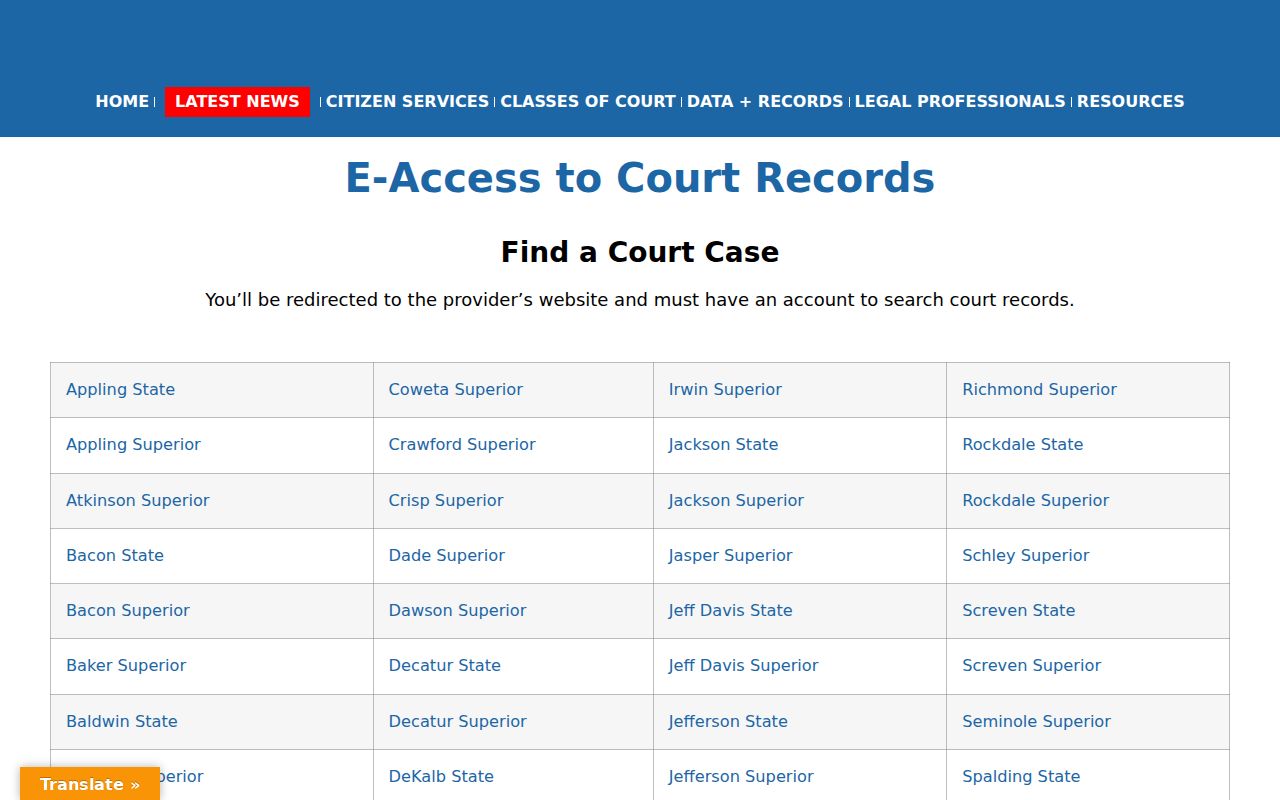
This directory is not a single statewide trial-court index. For Madison Superior users, it points to PeachCourt and warns that the provider may require an account before access.
PeachCourt Accounts and Recovery
PeachCourt is the required e-filing route for Madison Superior, and it can supply file-stamped documents in participating matters. Signing up means entering a first and last name, confirming an email and password, setting a secret question and answer, passing a bot check, and accepting the terms. The PeachCourt registration page lays out that account route.
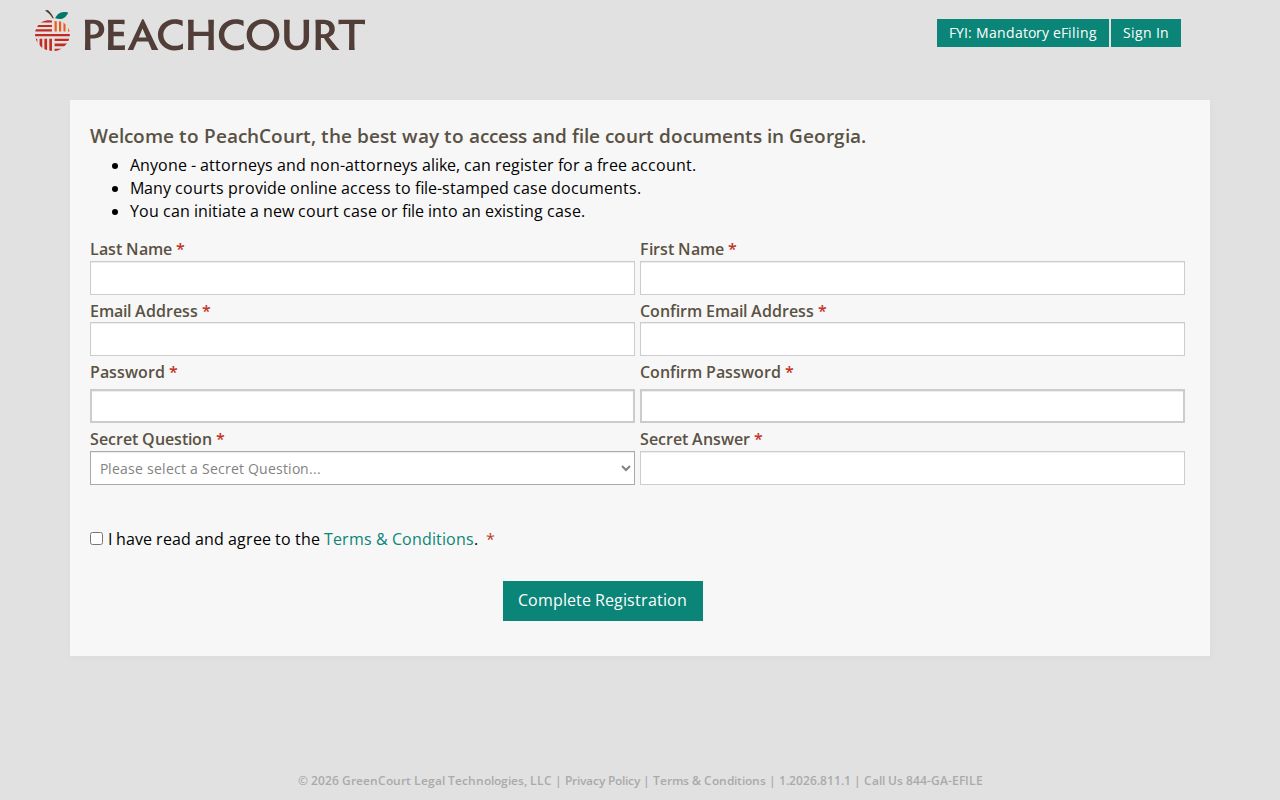
An account alone doesn't unlock every Madison docket or document image. Court participation and access rules still decide what you can see. The password helper on the official page asks for the account email address to start recovery.
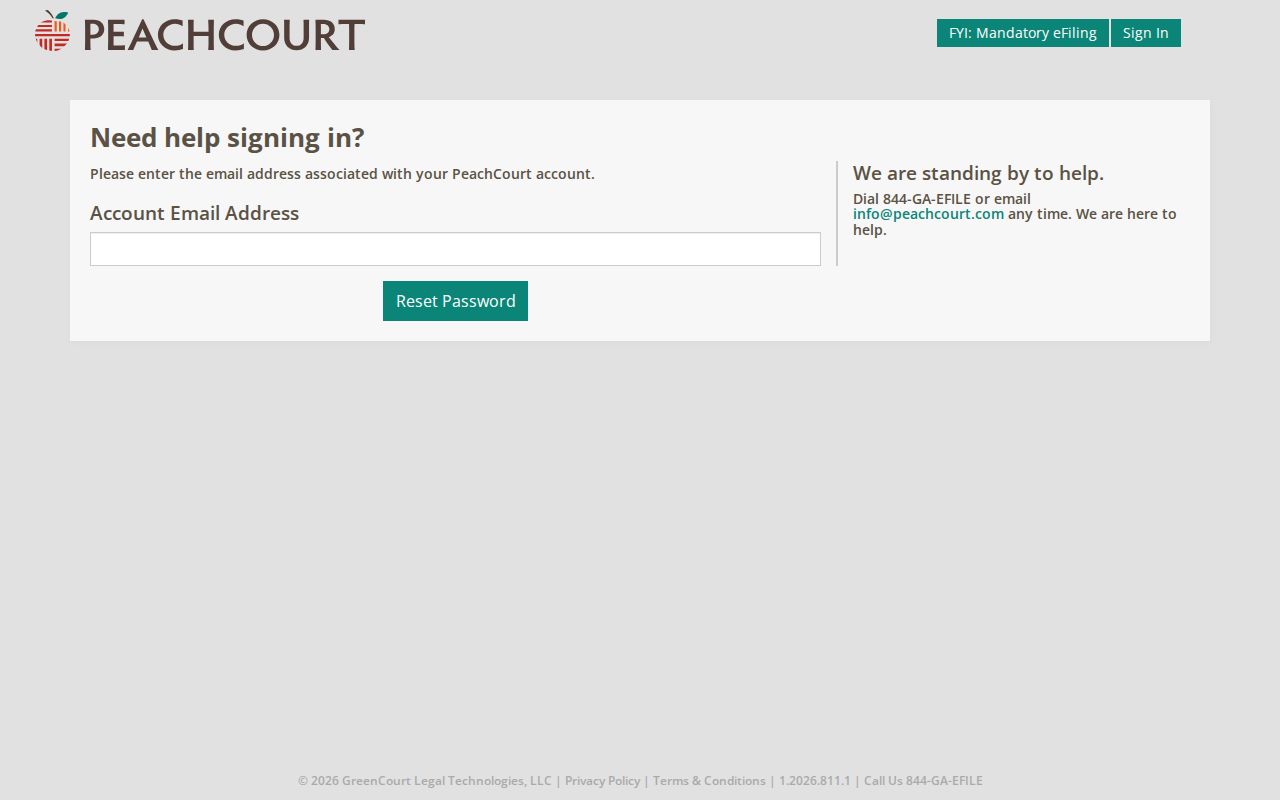
Use recovery only for an account you already created. It never replaces the clerk's public-access procedure.
County vs Statewide Case Search
Madison County's local and state layers serve different purposes.
| Route | Best use | Limit |
|---|---|---|
| Madison WebCaseManagement | Official Superior case-system entry | Public fields were not exposed in research |
| Superior calendar | Public case numbers and hearing settings | Not a full chronological docket |
| Georgia E-Access | Provider directory | Not one searchable statewide database |
| PeachCourt | E-filing and document access | Account and participation limits |
| Clerk office | Official docket and copy request | Fees and delivery must be confirmed |
No separate Madison State Court appears in the official case-count selector or the county directory. So don't send anyone hunting for a State Court portal that isn't there.
Madison Probate and City Searches
Probate Court ties some public records into Georgia Probate Records. But most files before 2017 were never scanned and may need an office request. Adult and minor guardianship cases stay confidential. A blank probate portal result can therefore reflect the record's age, missing scans, or access limits. It does not signal the absence of a case.
City citations belong to the city that issued them. Comer offers public phone, mail, and vendor payment routes. Danielsville runs a charter-created Municipal Court. Colbert, Ila, and Carlton offer no equivalent public lookup tools. Match the city printed on the citation. Confirm the current court, and skip the generic vendor guesses.
Restricted Madison Cases and Access
Public access to court records is the rule in Madison County, but not without limits. Uniform Superior Court Rule 21 guarantees access while permitting lawful restrictions. Rule 21.6, for instance, protects certain identifiers and details tied to protective orders. Juvenile matters run through a separate confidential channel. Guardianship files may be confidential too. Sealed cases can simply stay out of ordinary public output.
So a blank docket search result proves nothing. A file might be too new to appear, sit in a different court, carry restrictions, predate scanning, or sit behind a session boundary. When a Madison County case will not show, call the clerk who holds it. For Superior Court matters, Katie Cross's office can be reached at 706-795-6310. You can also write by mail at P.O. Box 247, Danielsville, Georgia 30633. Give the exact case number. Name what you want: a docket printout, a filed pleading, an order, a judgment, or a certified copy.
Precision helps. A docket printout lists procedural entries only. A filed pleading is one party's submission. An order records a judge's direction, and a judgment states the court's operative decision. Certification simply authenticates the copy the clerk supplies. Asking for "everything" tends to slow routing and muddy any cost estimate. Ask the clerk directly about the current copy fee. Ask, too, about accepted payment methods and turnaround before ordering.
Clerk staff can explain procedure and tell you where a file lives. They cannot advise which claim to bring or how to respond in a pending case. If a lookup surfaces an active deadline, trust the court's official notice. Get legal advice if you need it. Portal access never extends a filing deadline or excuses a missed setting.
Federal cases use another system. Madison County federal matters belong to the Middle District of Georgia, Athens Division, and are searched through PACER rather than the county portals.